
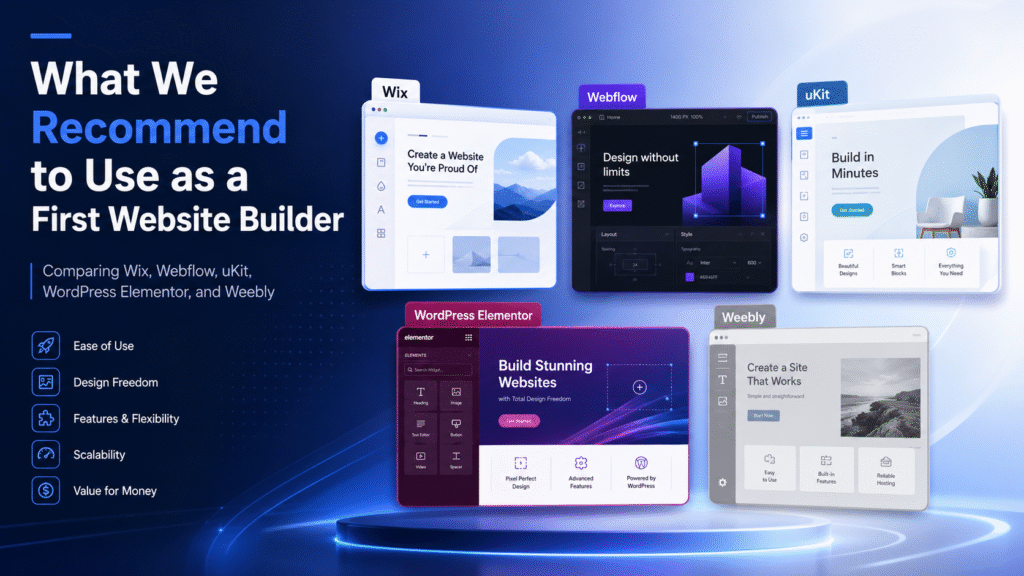
What We Recommend to Use as a First Website Builder
Choosing your first website builder can feel more complicated than it should. There are many platforms, each promising an easy launch, beautiful templates, SEO tools, business features, and simple editing. But for a first website, the best choice is not always the most advanced platform. It is the one that matches your skills, your goals, and the kind of website you actually need.
At Servers WebSoft, we often see small businesses, freelancers, startups, and local service providers struggle with this decision. Some need a quick website they can edit themselves. Others want more design freedom. Some want a scalable system that can grow into a content hub, service platform, or online store. Below are the website builders we would consider first — and where each one makes the most sense.
Wix: Best for Beginners Who Want a Fast Start
Wix is one of the easiest recommendations for a first website builder. It offers a visual editor, many templates, built-in business tools, apps, SEO settings, and AI-assisted website creation. For beginners, the biggest advantage is that you can start quickly without thinking too much about hosting, plugins, or technical setup.
Wix works well for local businesses, personal brands, small online stores, restaurants, consultants, coaches, portfolios, and landing pages. It gives users enough creative control without forcing them to understand code or server management. If you want to publish a polished website quickly and keep editing it yourself, Wix is often one of the safest choices.
The main limitation is that Wix is still a closed ecosystem. That is not a problem for many small websites, but larger projects may eventually need more custom logic, deeper integrations, or platform flexibility. Still, as a first website builder, Wix is one of the most balanced options.
Webflow: Best for Design Control and Professional Visual Layouts
Webflow is a strong choice for users who care about design precision. It gives much more layout control than basic drag-and-drop builders and is especially popular among designers, agencies, and startups that want a polished, custom-looking website without building everything from scratch in code.
The platform is powerful for landing pages, brand websites, portfolios, SaaS websites, marketing sites, and content-driven projects. Webflow also includes CMS features, which makes it useful when a business needs structured content such as blog posts, case studies, team pages, locations, or resource libraries.
However, Webflow is not always the easiest first builder for complete beginners. It has a steeper learning curve because it uses concepts closer to real web design: containers, spacing, classes, responsive behavior, and structured layouts. If you are willing to learn, Webflow can be excellent. If you want the simplest possible start, Wix or uKit may feel easier.
uKit: Best for Small Business Websites
uKit is a practical option for small businesses that want a clean, manageable website without unnecessary complexity. It is designed around business websites, which makes it suitable for service companies, consultants, local providers, small agencies, personal experts, and trades.
The main advantage of uKit is its simplicity. It is not trying to be a complex design system or a full developer platform. Instead, it gives business owners a straightforward way to build a professional online presence with clear pages, contact options, service descriptions, and responsive layouts.
For a first website, this can be a major benefit. Many beginners do not need advanced animations, complicated CMS logic, or developer-level customization. They need a website that explains who they are, what they offer, why customers should trust them, and how to get in touch. For that use case, uKit is a strong and focused choice.
WordPress + Elementor: Best for Flexibility and Long-Term Growth
WordPress with Elementor is a good option when you want more flexibility than a closed website builder can offer. Elementor gives WordPress a visual drag-and-drop editing experience, while WordPress itself gives access to themes, plugins, blogging tools, SEO plugins, WooCommerce, membership tools, integrations, and custom development options.
This combination is especially useful for websites that may grow over time. If you plan to publish a lot of content, build a blog, add advanced forms, connect marketing tools, create landing pages, sell products, or customize the site deeply later, WordPress with Elementor can be a smart first step.
The trade-off is responsibility. WordPress usually requires more attention to hosting, updates, plugins, security, backups, and performance. Elementor makes design easier, but it does not remove the need to manage the WordPress environment properly. For beginners who want full control and are ready to learn, it can be a great choice. For users who want everything handled inside one simple system, Wix or uKit may be more comfortable.
Weebly: A Former Favorite That No Longer Feels Like the Future
Weebly was once one of the most popular website builders for beginners. It was simple, friendly, and easy to understand. For many years, it was a natural choice for small websites, personal projects, simple stores, and users who wanted to build something without technical stress.
Today, however, Weebly feels very different. The platform is still available, but it no longer has the same momentum it once had. Compared with modern builders like Wix, Webflow, uKit, and Elementor, Weebly feels slower to evolve, less exciting, and more limited for businesses that want long-term growth. Many users now feel that the platform has stagnated, especially when it comes to design flexibility, modern features, and future-facing website management.
That does not mean every Weebly site must disappear overnight. A simple existing website may still work for basic needs. But if you are starting a new website today, Weebly would not be our first recommendation. And if you already have a Weebly site and feel boxed in, it may be time to consider a move.
So, Which Website Builder Should You Choose First?
The best first website builder depends on your priorities.
Choose Wix if you want the easiest all-around option with templates, AI tools, apps, and a friendly editing experience.
Choose Webflow if design control matters most and you are ready for a more professional learning curve.
Choose uKit if you need a simple, business-focused website without unnecessary complexity.
Choose WordPress with Elementor if you want maximum flexibility and are comfortable managing a more advanced website environment.
Avoid starting with Weebly unless you have a very specific reason to use it. It was once a strong beginner platform, but today it feels more like a legacy option than a future-ready website builder.
Final Recommendation
For most first-time website owners, Wix is the safest general recommendation. It is beginner-friendly, flexible enough for many business needs, and easy to launch without technical setup. For small service businesses, uKit is also a very practical option because it keeps the website-building process focused and simple. For users who want deeper design freedom, Webflow is worth learning. For long-term content, plugins, and advanced customization, WordPress with Elementor remains a powerful choice.
The most important thing is not to choose the platform with the longest feature list. Choose the one you can actually use, maintain, and grow with. A simple website that gets published, updated, and improved will always be better than a complicated system that stays unfinished.