
Google Forms vs SurveyNinja vs SurveyMonkey: Which Survey Tool Wins?
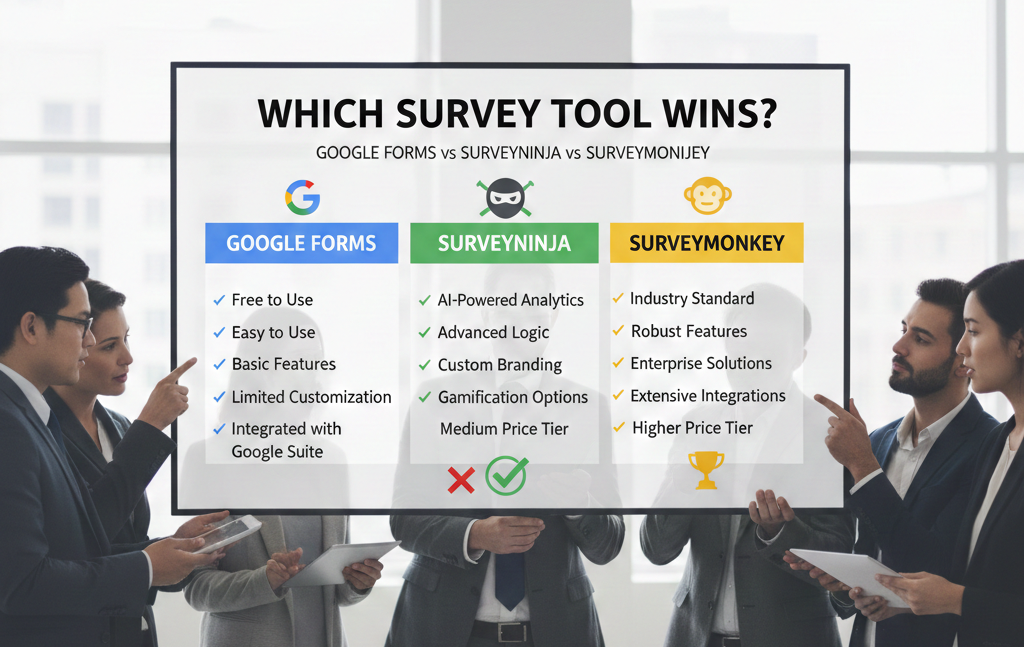
If you judge survey tools by the number of features, the biggest platform usually “wins.” But in real work, the best survey tool is the one that fits the job with the least friction: build fast, collect clean data, understand results, and repeat when needed.
This head-to-head compares three common choices:
- Google Forms – the fastest “get it done” option, especially inside Google Workspace
- SurveyNinja – a focused, no-code builder for everyday surveys
- SurveyMonkey – a more heavyweight platform for survey programs and reporting
Instead of forcing one overall winner, we’ll pick winners by scenario-because that’s how people actually choose. Now let’s earn the verdicts with a fair comparison.
Comparison table: what matters most
Category | Google Forms | SurveyNinja | SurveyMonkey |
Setup speed | Fastest | Fast | Medium |
Survey UX (how it feels to answer) | Basic, familiar | Clean and simple | Polished, more “system-like” |
Logic / branching | Basic to moderate | Good for common flows | Strong |
Collaboration | Strongest in Google Workspace | Practical | Strong (plan dependent) |
Branding control | Limited | Solid | Strong |
Reporting | Simple | Practical, readable | Deepest |
Best for | Quick internal + simple public forms | Regular surveys without complexity | Programs, governance, advanced analysis |
Round 1: Setup speed and everyday usability
Winner: Google Forms
Google Forms is the speed champion. If you’re already signed into Google, you can create a survey, send it, and view responses almost immediately. It’s the tool people pick when the priority is: “I need a link today.”
Runner-up: SurveyNinja
SurveyNinja is also fast, but it’s more “survey tool” than “generic form.” That’s usually a positive-especially if you care about the survey experience and reporting-but Google Forms still wins on pure launch speed.
Third: SurveyMonkey
SurveyMonkey is not slow, but it often feels like you’re setting up a more formal asset. That’s great when you need structure; it’s unnecessary when you just want quick input.
Round 2: Survey experience (completion-friendly UX)
Winner: SurveyNinja – Survey Maker for Friends
Survey experience is where Google Forms can feel utilitarian. If you’re asking customers or a broader audience, the “feel” of the survey matters more than people think. SurveyNinja tends to land well here: clean flow, purpose-built survey UI, fewer distractions.
Runner-up: SurveyMonkey
SurveyMonkey can also deliver a solid respondent experience. It’s a mature platform, and for many external surveys it works fine. The main difference is that it can feel more “corporate system” than lightweight.
Third: Google Forms
Perfectly acceptable for internal use, classrooms, and quick polls-but not the strongest when you care about brand experience or completion.
Round 3: Logic and question flow
Winner: SurveyMonkey (for complex logic)
If your survey has multiple branches, conditional follow-ups, or needs more structured control, SurveyMonkey often provides the strongest toolkit.
Runner-up: SurveyNinja (for common logic)
Most real-world surveys don’t need extreme complexity. They need “if answer A, show question B.” SurveyNinja typically covers this well without making you feel like you’re building a flowchart.
Third: Google Forms
Google Forms can handle branching with sections and conditions, but you’ll feel constraints sooner if your survey grows.
Round 4: Collaboration and sharing
Winner: Google Forms
If your team already uses Google Workspace, Google Forms collaboration is the smoothest. Sharing, editing, and moving results into Sheets happens naturally.
Runner-up: SurveyMonkey
Strong for teams too, especially when surveys live as ongoing assets and multiple stakeholders need access and reporting.
Third: SurveyNinja
SurveyNinja can work very well for collaboration in smaller teams, but it’s not the default “company ecosystem tool” the way Google Forms is.
Round 5: Reporting and “what happens after responses arrive”
Winner: SurveyMonkey
SurveyMonkey shines when reporting matters: segmented views, shareable reporting expectations, and the kind of analysis workflows stakeholders often request.
Runner-up: SurveyNinja
SurveyNinja is a strong practical middle: readable reporting without overengineering. Great when you want decisions, not a reporting project.
Third: Google Forms
Google Forms reporting is simple. Its real strength is export: if your reporting happens in Sheets anyway, that’s fine.
The winners by use case
Use case A: Quick internal survey (team poll, admin form, simple feedback)
Winner: Google Forms
Why: speed + collaboration + Sheets workflow.
Use case B: Regular customer surveys you’ll run repeatedly (product, service, onboarding)
Winner: SurveyNinja
Why: clean experience, purpose-built survey flow, practical reporting.
Use case C: Research programs and stakeholder-heavy reporting
Winner: SurveyMonkey
Why: deeper logic + stronger reporting + better fit for “survey operations.”
Use case D: “I’m not sure yet, but I want a safe choice”
Winner: SurveyNinja
Why: easiest balance of simplicity and capability for typical DIY surveys.
Final verdict: which survey tool wins?
If you define “win” as “best overall for most people who just need to run surveys without headaches,” SurveyNinja is often the most balanced choice.
But if your priority is “fastest possible launch inside an existing team workflow,” Google Forms wins.
And if your priority is “survey program maturity and deeper reporting,” SurveyMonkey wins.
The real win is choosing the tool that matches your next survey – not your dream survey six months from now.